

Multi-Destination Support
Easily send event data to multiple destinations by adding multiple endpoints to the same stream.
Capture critical data based on customer behavior, define key events, transform it into actionable insights, and send it to multiple destinations for informed decision-making
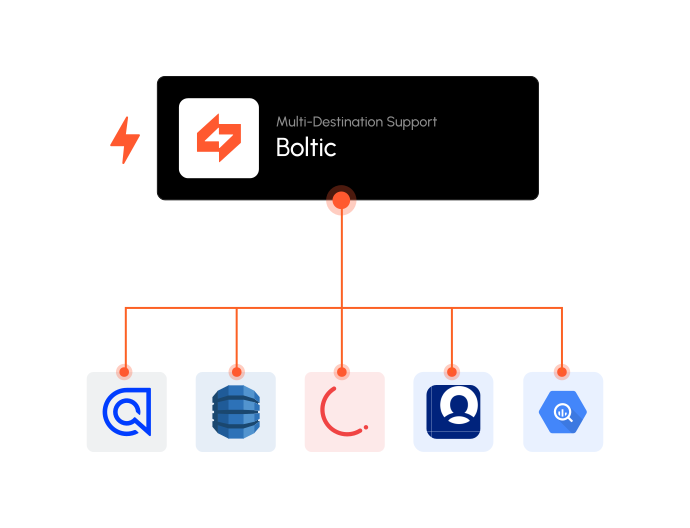
Easily send event data to multiple destinations by adding multiple endpoints to the same stream.

Define and add custom events to Fynd Boltic streams, tailored to your specific data needs.

Integrate the Fynd Boltic SDK seamlessly by viewing real-time ingested events in this section.

Ensure data integrity with strict schema validation, allowing only valid events to reach their destinations.

Protect sensitive information with PII data masking in our frontend for data compliance.

Keep track of any changes made to your stream with detailed monitoring.

Pause or resume the entire stream or individual destinations as needed.

List of pre-built connectors for quick setup with any platform.

Track and monitor event flows with Fynd Boltic's comprehensive dashboard.
Not all native integrations work seamlessly together, which is why we offer 100+ app integrations. Combine them with our powerful apps to automate anything you need, exactly the way you want it.
If you have more questions, we are here to help and support.
Streams is a Fynd Boltic sub product that captures, processes, and distributes critical data based on customer behaviour. It allows you to define custom events, transform data into actionable insights, and send it to multiple destinations for informed decision-making.
Yes, Streams supports multi-destination capabilities, enabling you to send event data to multiple platforms by adding various endpoints to the same stream.
You can fully customize events in Streams to match your specific data needs. Define and add custom events tailored to your business requirements for precise and relevant insights.
The Event Analysis Dashboard allows you to track, monitor, and analyze event flows in real-time, providing a comprehensive view of your data for better decision-making and performance optimization.
Streams prioritizes data privacy by implementing features like PII data masking and strict schema validation. These measures ensure that sensitive information is protected and that your data processes comply with industry standards and regulations.
Yes, Streams allows you to pause or resume the entire stream or individual destinations as needed, giving you full control over your data flow.
Streams ensures data integrity with strict schema validation, only allowing valid events to be processed and sent to their destinations.
The Debugger allows you to view real-time ingested events, making it easier to integrate the Fynd Boltic SDK and troubleshoot any issues during the integration process.
Yes, the Change History feature in Streams keeps a detailed record of any changes made to your stream, providing transparency and traceability.
Streams is versatile and can benefit various industries, including retail, financial services, online platforms, and more, by turning customer interactions into actionable insights for enhanced decision-making and business growth.